2025
Towards a README for this website
This is for my own future reference and for anyone who might be interested in Obsidian, static websites, and deploying via Git.
Obsidian
These days, I like to use Obsidian to organize the content of my websites because I already use it for notes. I have a vault for each website, currently the one you are looking at and my archive of art and writing. I could just use any names for folders and files that feels right (so on the other site, the main folders are quasi-institutions and studies) but because this site is a weblog, I use posts as the folder to contain all my posts.
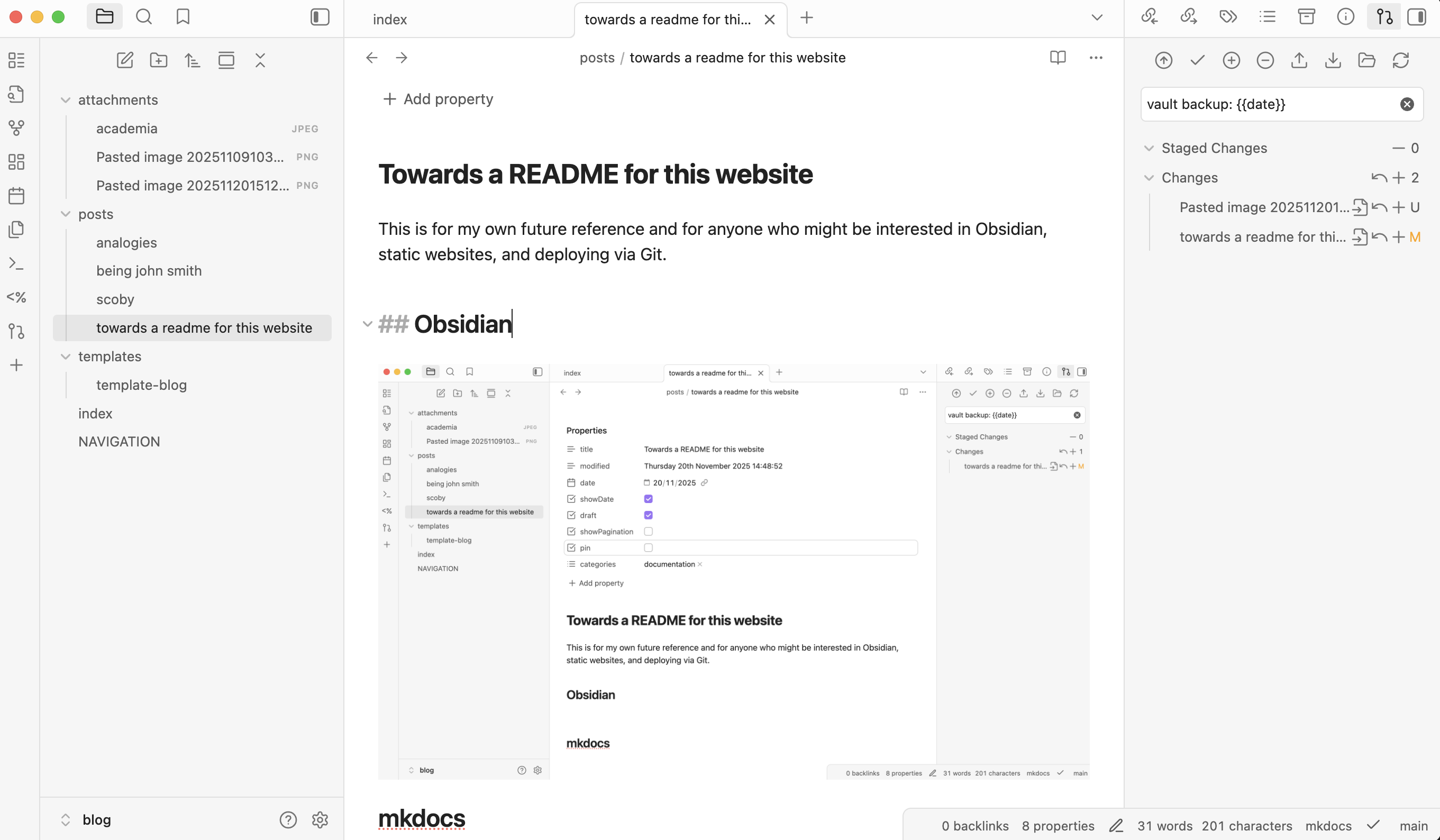
What my Obsidian looks like for this page on this site.
Plugins
If you've never used Obsidian, you should know that you are almost definitely going to want to install some plugins to customize it. Once these are all set up, I never think about them again, and so documenting it here is how I stop myself from reverse engineering my own system:
Git
This is the single most important and essential plugin. Not only does it store and version control my files but it is how I publish my website (using GitHub Actions -- more on that below). But see that up arrow in a circle, above where it says "vault backup"? When I push that it publishes my site.
Templater
This is a super common plugin that allows you to give some automatic structure to new documents. For me, a blog post has some essential stuff like a title, date, categories, but also the ability to pin a post to the front page or to keep it as a draft and not publish it. Some of these frontmatter properties are defined by mkdocs (more on that below).
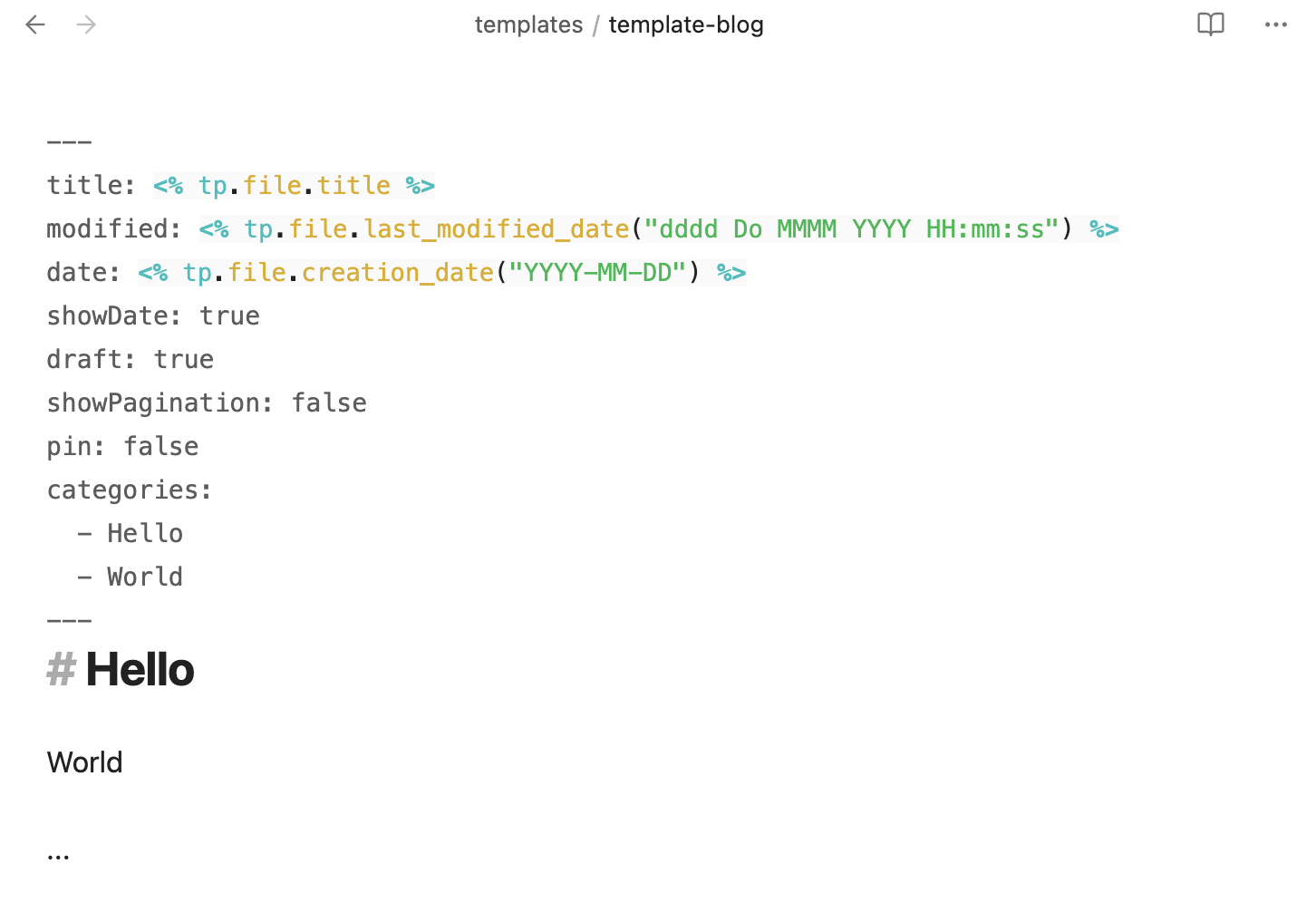
A screenshot of my blog template. Pretty basic!
QuickAdd
QuickAdd is a little complicated but it's a way to create a blog post and put it in the correct folder posts and apply the correct template in one quick command.
Commander
This plugin is a way to add your own buttons onto the Obsidian interface. If you see the plus sign at the bottom of the left part of the Obsidian window: that is a button that will fire the QuickAdd command I created, thus creating a blog post in the right place.
mkdocs
mkdocs is a static site generator that's primarily intended for people to use it to do software documentation. But it's got a blog plugin and I have found it's potentially interesting for documenting your own practice (i.e. something like a folio).
I mainly write in Python when I can and so I am quite comfortable with all of the below. None of it gave me any trouble, all is a pretty straightforward use of Python.
First, just make sure mkdocs is installed on your computer.
pip install mkdocs
These are a couple other things to customize how I use mkdocs
pip install mkdocs-literate-nav # to edit my nav through obsidian
pip install mkdocs-material # for the layout
pip install mkdocs-obsidian-bridge # to be able to use Obsidian as CMS
The each site will want its own directory:
mkdocs new my-project # for me my-project was mkdocs-blog
The most important file is the configuration file, mkdocs.yml. Here is mine:
site_name: somethingilearned.today

docs_dir: !ENV [DOCS_DIR, '/path/to/obsidian/contents/of/my/blog'] # Where is your Obsidian vault?
site_url: !ENV [SITE_URL, 'https://somethingilearned.today'] # When you eventually deploy it

# These are the files in that docs_dir that I want to make sure aren't included in the build!
exclude_docs: |
.DS_Store
README.md
LICENSE
.gitignore
.git
.github
.vscode
templates
OLD

plugins:
  - tags
  - obsidian-bridge
  - blog:
    blog_dir: . # this uses 'posts' right in the root of docs_dir
    post_readtime: false # I don't like '2 minute read'
    post_date_format: "d MMM YYYY"
  - literate-nav: # https://oprypin.github.io/mkdocs-literate-nav/index.html
    nav_file: NAVIGATION.md

markdown_extensions:
  - sane_lists
  - pymdownx.blocks.caption
  - admonition
  - footnotes
  - toc: # right sidebar
    title: Contents

theme:
  name: material
  custom_dir: overrides
  features:
    - navigation.top
    - navigation.indexes
    - navigation.sections
  palette:
    scheme: slate
    primary: white
    accent: black
  font:
    text: Arimo # Georgia # Alegreya #Lato # Open Sans #Karla
    code: Roboto Mono
  logo: assets/images/logo.png # Optional, see my file system
  favicon: assets/images/logo.ico # ditto

extra_css:
  - assets/stylesheets/extra.css # Optional, see my file system
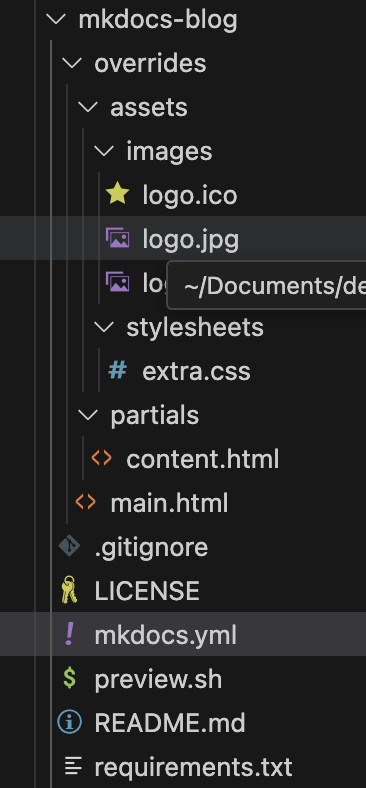
There are a couple of places where I make custom configurations to the theme. They are the logo, a few extra styles, and also a small modification to the template.
GitHub
Now I create a Git repository for this mkdocs-blog directory and I rarely edit it. I keep it separate from my Obsidian vault, which is another repository, and which I am always editing.
I've got a GitHub Action workflow that runs whenever I push from my Obsidian Vault. It pulls the mkdocs configuration and then builds the site on GitHubs servers using that configuration plus my content files and publishes to a GitHub pages site, which is where it is hosted.
Being John Smith
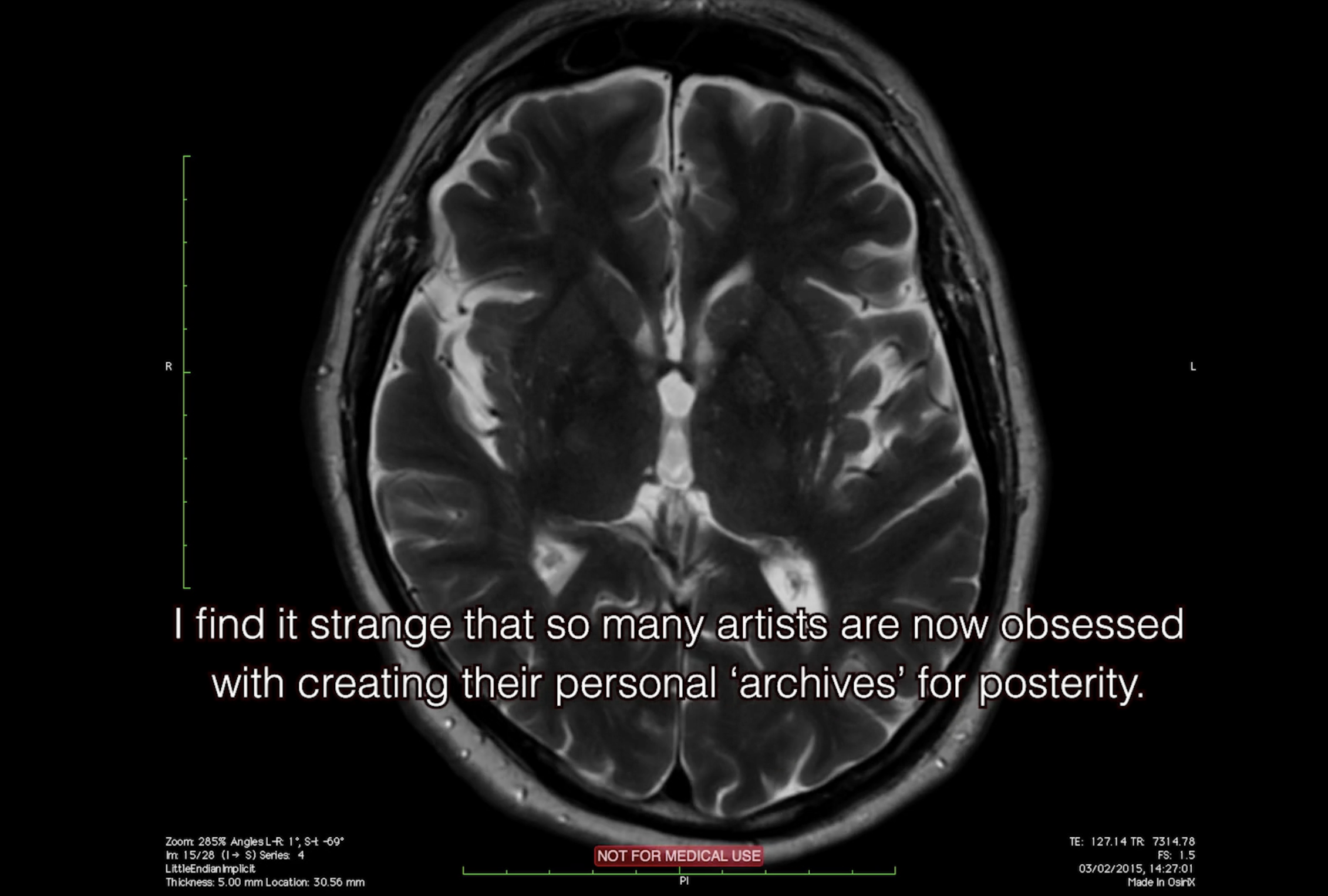
Joel shared Being John Smith on Le Cinéma Club, I don't know how long it will be there for.
I enjoyed it and found it relatable in many ways, which I suppose was part of the point given how it was about the desire to stand out but all of the things–down to a name–that conspire to keep you grounded. Mostly I liked the pace, thoughtfulness, and vulnerability. Because I didn't scroll down to read the publicity, I also saw it without much framing, rare these days where I am preemptively consuming art, almost to the point of not really needing–or at least having time for–the thing itself.
That mindset reminds me of Google Zero, which I'm not going to write about now, except to say that it's this imagined future where Google search results no longer refer outwards to actual internet sites, but instead those sites are completely digested and reconstituted by AI so that you never leave the search. You're just immersed in a secondary world of loose referentiality and reframing. I guess my point is that these massive technological shifts always turn out to have been underway in our behavior for some time.
The image at the top is just one passing moment in the film, puzzling about how artists can possibly care about posterity when extinction is around the corner. I felt pretty exposed in that moment because I am gathering materials from cloud storage, hard drives and files to put on my homepage, which does feel vain, unnecessary, and given Google's plans to never refer anyone anywhere, utterly pointless. But I am feeling so fragmented, now lugging around the aforementioned hard drives and file storage containers from rental to rental and office to office, I just want to pull it all together into one place so I can finally move on.
SCOBY
That SCOBY is an acronym: Symbiotic Culture of Bacteria and Yeast. Thanks Kieran.